Hello INDODAX Member,
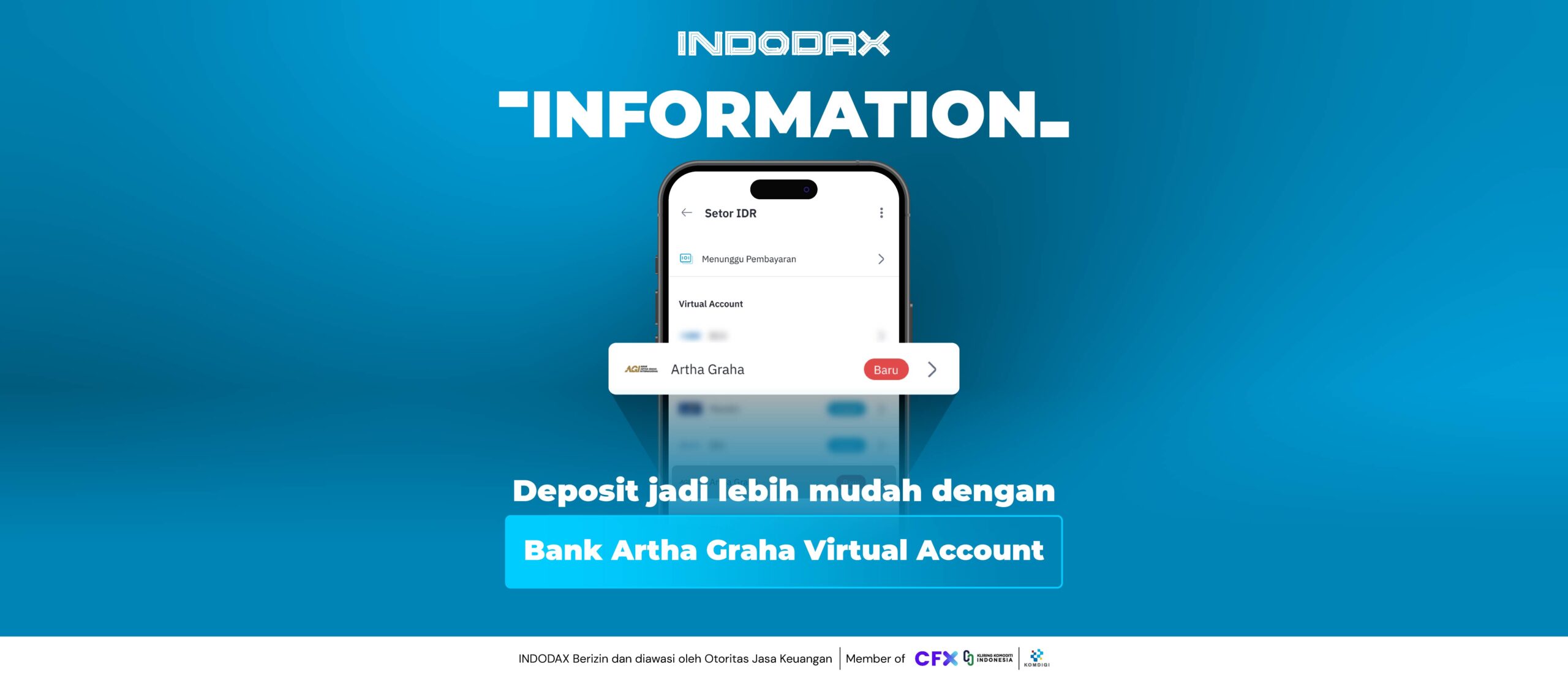
To improve INDODAX’s service, deposits through Artha Graha Bank are now available with a virtual account.
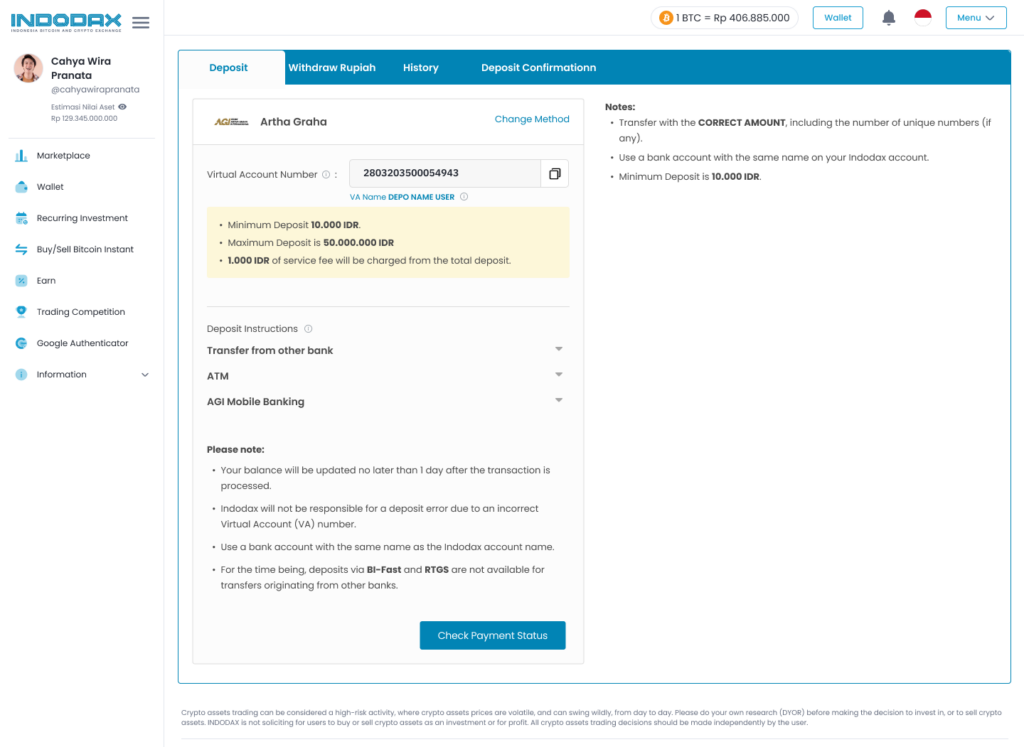
Before depositing with Bank Artha Graha Virtual Account, make sure you are depositing from your Bank Artha Graha account to your personal INDODAX account. If the account name on the Bank Artha Graha account differs from the INDODAX account, the request will be automatically rejected.
Here are the details for deposits using Bank Artha Graha VA:
- Minimum deposit: IDR 10,000
- Maximum deposit: IDR 50,000,000
- Deposit fee: IDR 1,000
- Deposits available via RTOL (Real-Time Online)
How to deposit using a Bank Artha Graha Virtual Account (AGI):
- Open the INDODAX Mobile app or visit the indodax.com website
- Click the “wallet” menu
- Select “Deposit IDR”/”Deposit Rupiah”
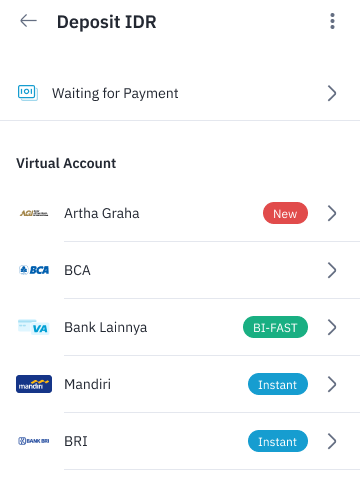
- Then select the Artha Graha Virtual Account
Display on INDODAX Mobile:
 Display on the indodax.com website: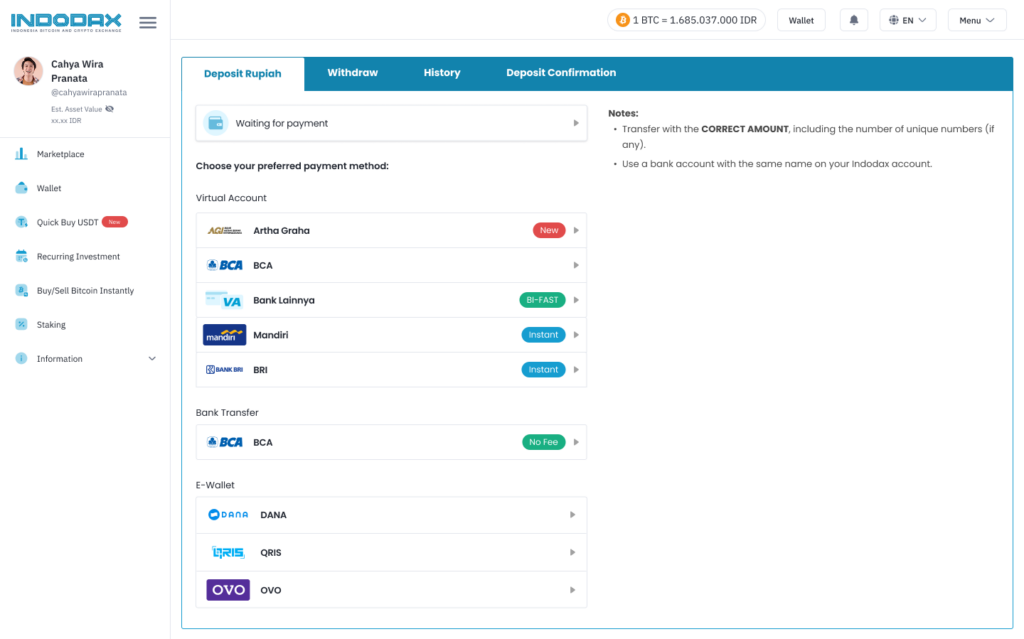
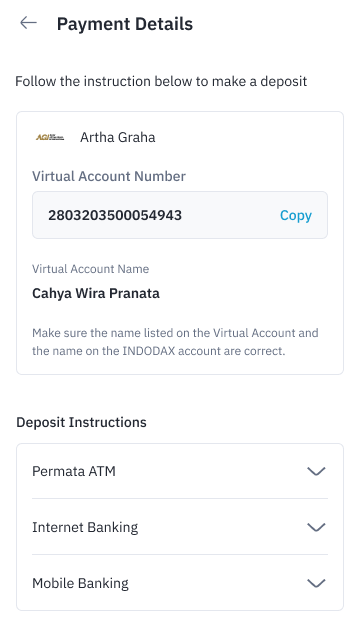
- Then, “Copy” the Virtual Account number listed and follow the provided deposit instructions.
Display on INDODAX Mobile:
 Display on the indodax.com website:
Check Artha Graha Virtual Account Payment Guideline
For any inquiries and more information, contact INDODAX Customer Support via email at [email protected] or via phone number at (021) 50658888.
Regards,
INDODAX – Indonesia Bitcoin & Crypto Exchange